
Guests & QR Codes
Before you can photograph someone, they need to register. Registration links them to their photos.
Display the event QR code
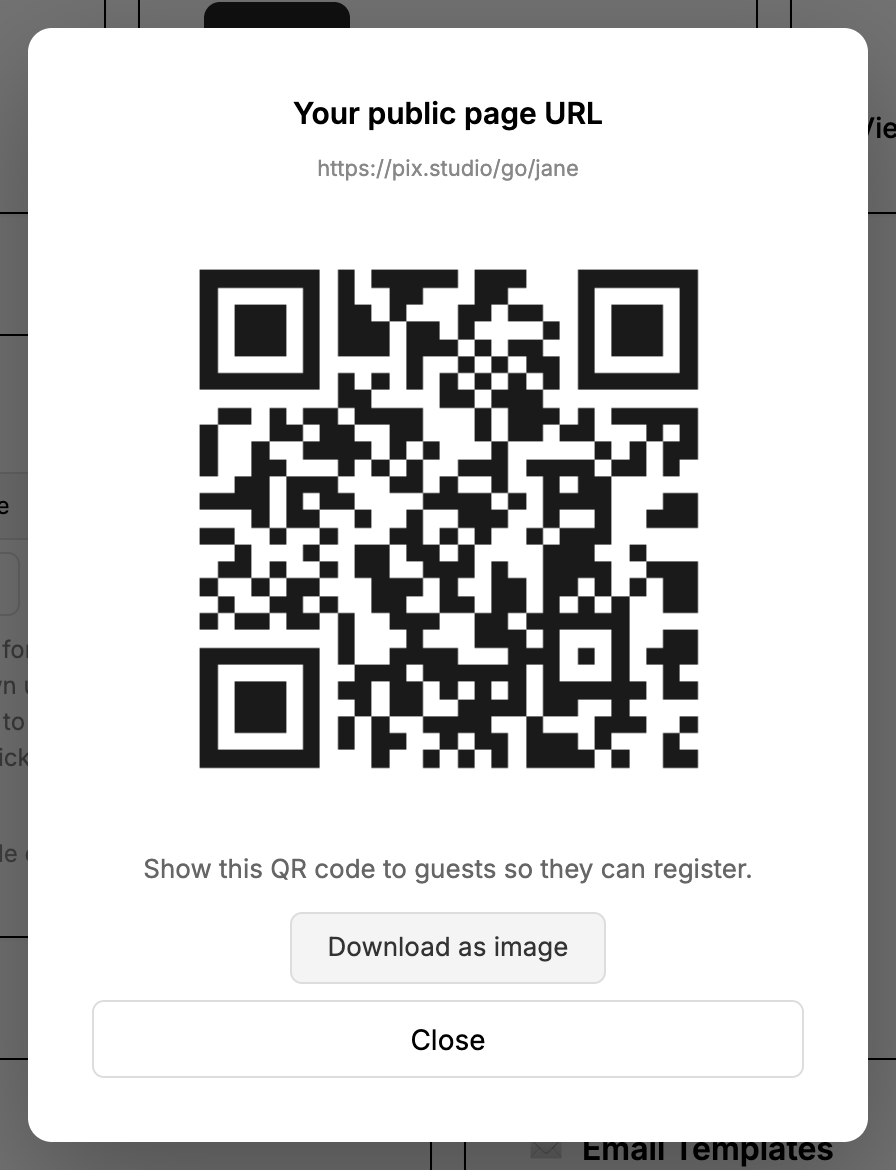
On the Home tab, under 'Client Registration', click 'Show QR' — or download the QR code as an image. Show it on a tablet, laptop screen, or print it out. Guests scan it with their phone camera.
Guest registers on their phone
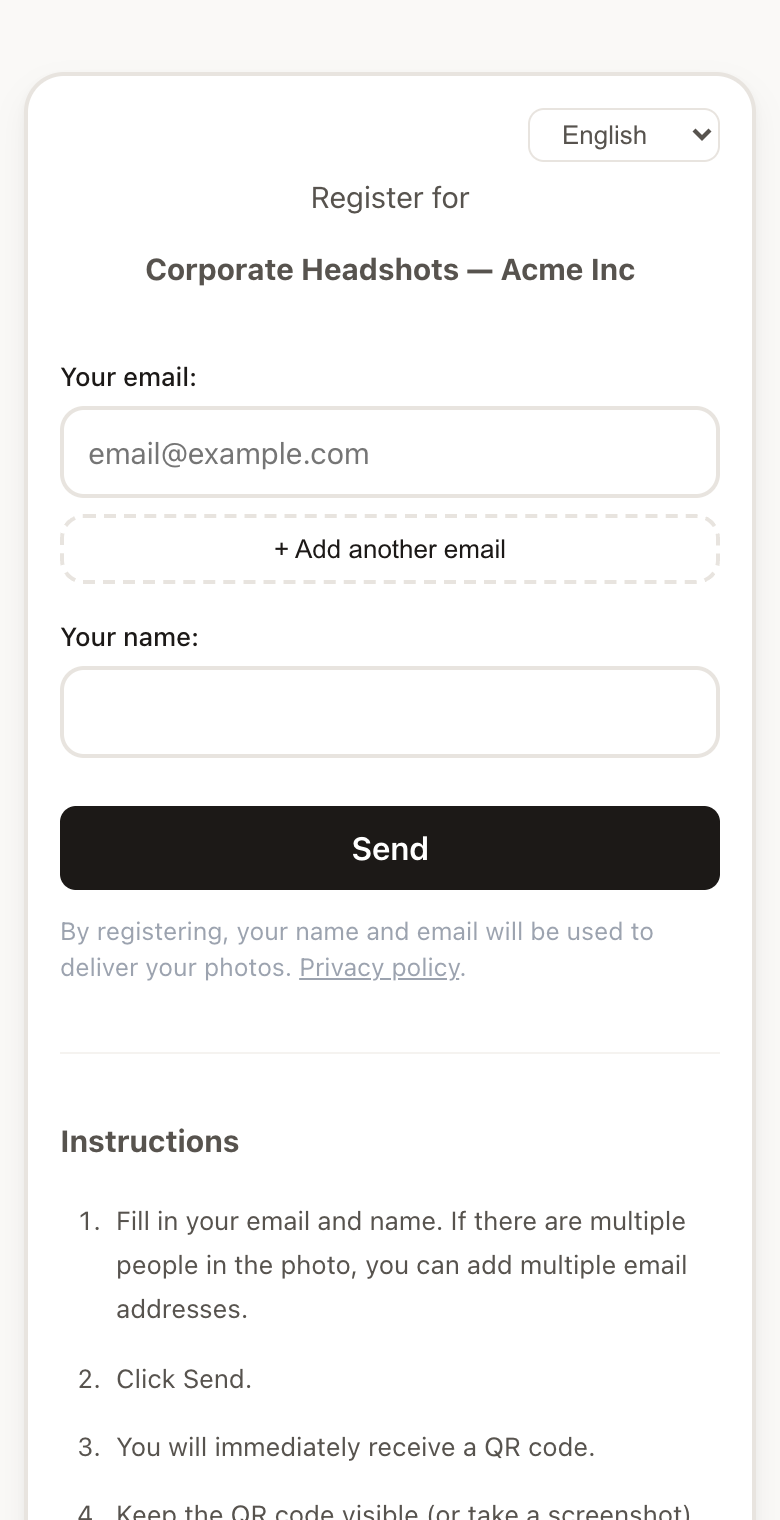
The guest fills in their name and email address. After submitting, a personal QR code appears on their screen.
Photograph the guest's QR code
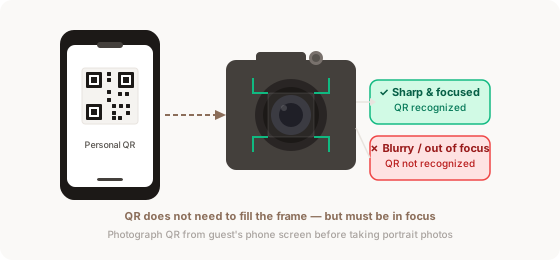
Point your camera at the QR code on the guest's phone screen and take one photo. This marks the start of that guest's photos.
The QR code must be sharp (in focus) in your photo. It does not need to fill the entire frame, but blurry or partially cut-off codes will not be recognized.
In low light, ask the guest to increase screen brightness. A phone screen is a light source — use it.
Photograph the guest normally
Take all the photos of that person. Every photo after the QR shot — until the next QR code — belongs to this guest.
If you photograph the same person's QR code twice, the second set of photos is added to their gallery. No duplicates are created.
Photographing phone screens with studio flash
A phone screen emits its own light, so your flash does not light it — it only reflects off the glass. With typical flash settings (for example 1/200 s, f/8, ISO 100) the screen comes out dark. QR codes have strong contrast and are often recognized even from a darker photo, but you have two ways to make it reliable.
- Ask the guest to turn screen brightness all the way up.
- Tilt the phone 20–30° so the flash reflection does not bounce straight into the lens.
- Get close enough that the code fills about a third of the frame, and make sure it is in focus.
- Or use printed offline cards: paper is lit by the flash just like your subject, so it is exposed correctly with your normal settings.
Most cameras let you save settings to a custom mode (Canon and Panasonic C1–C3, Nikon U1–U3, Sony MR 1–3, Fujifilm C1–C7). Save one for QR shots and switch to it only for the QR photo. The flash can keep firing.
- Use manual (M) mode with fixed values — in P or Av mode, or with auto ISO, many cameras change shutter speed and ISO when a flash trigger is attached.
- Keep your flash sync speed (for example 1/200 s) and give 1–2 stops more exposure than for portraits. Example: if you normally shoot f/8 at ISO 100, try f/5.6 at ISO 200–400.
- Single-shot autofocus (One Shot / AF-S) with one centre AF point.
- On Canon, turn off “Auto update set.” so adjustments made during the shoot do not overwrite the saved mode.
- Keep tilting the phone slightly — the flash still reflects off the glass.
Remember to switch back to your normal mode right after the QR photo — otherwise your portraits will be exposed with the QR settings.
The values above are starting points only. Every camera, lighting setup and phone screen is different, so test your own settings before the shoot: photograph one QR code from a phone screen at the shooting spot and check that it is recognized as a QR photo after upload.