
Email Templates
Customize the email your guests receive when their gallery is ready.
Custom email templates require a Pro or Business plan or a pay-per-event credit.
Open Email Templates
Click 'Email Templates' in the navigation. You'll see the default template and any custom ones you've created.
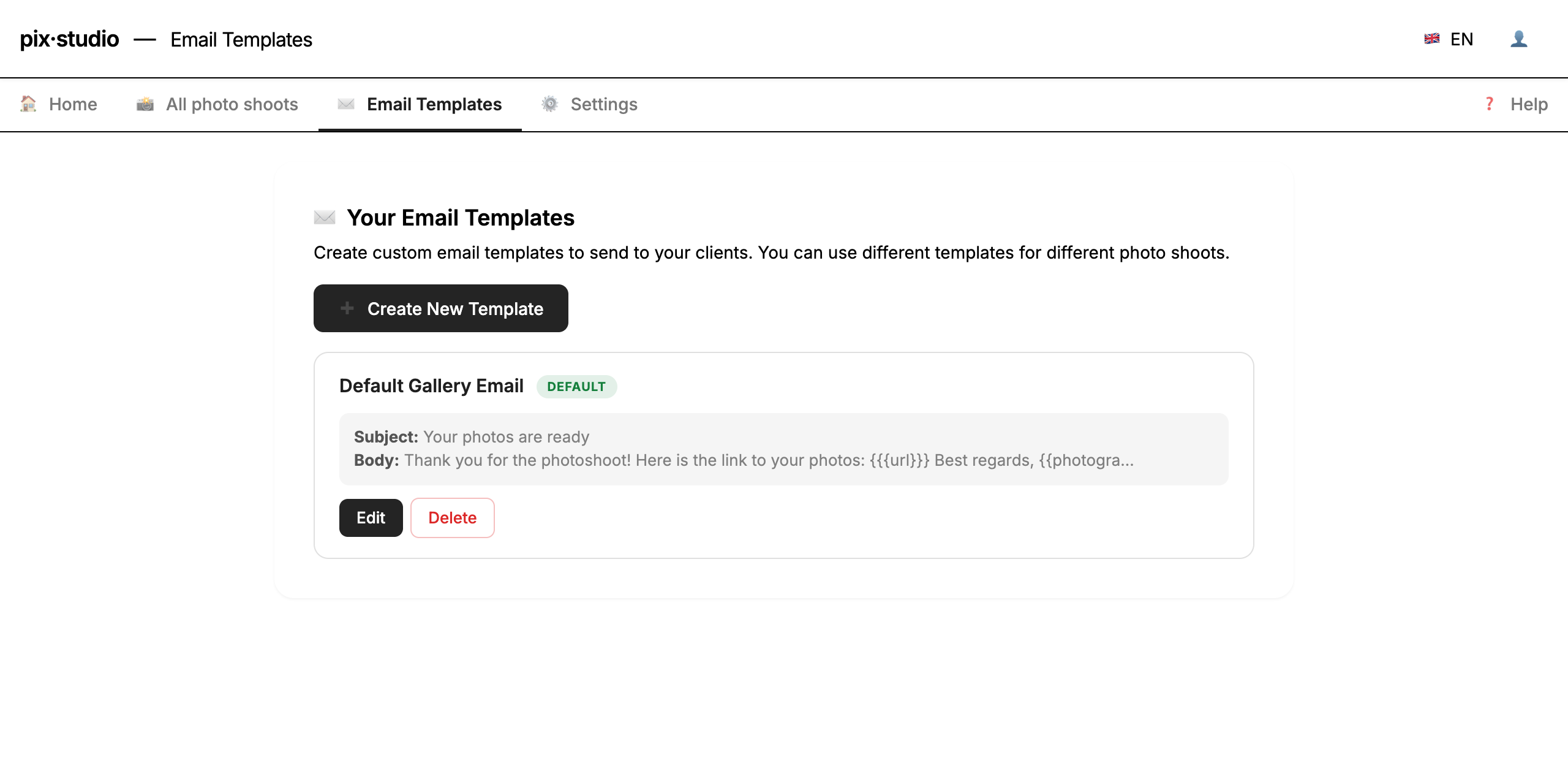
Edit the template
Modify the template name, subject line and body text. Use {{recipientName}} to include the guest's name, {{eventName}} for the shoot name, {{photographerName}} for your business name — and {{url}} for the gallery link (required).
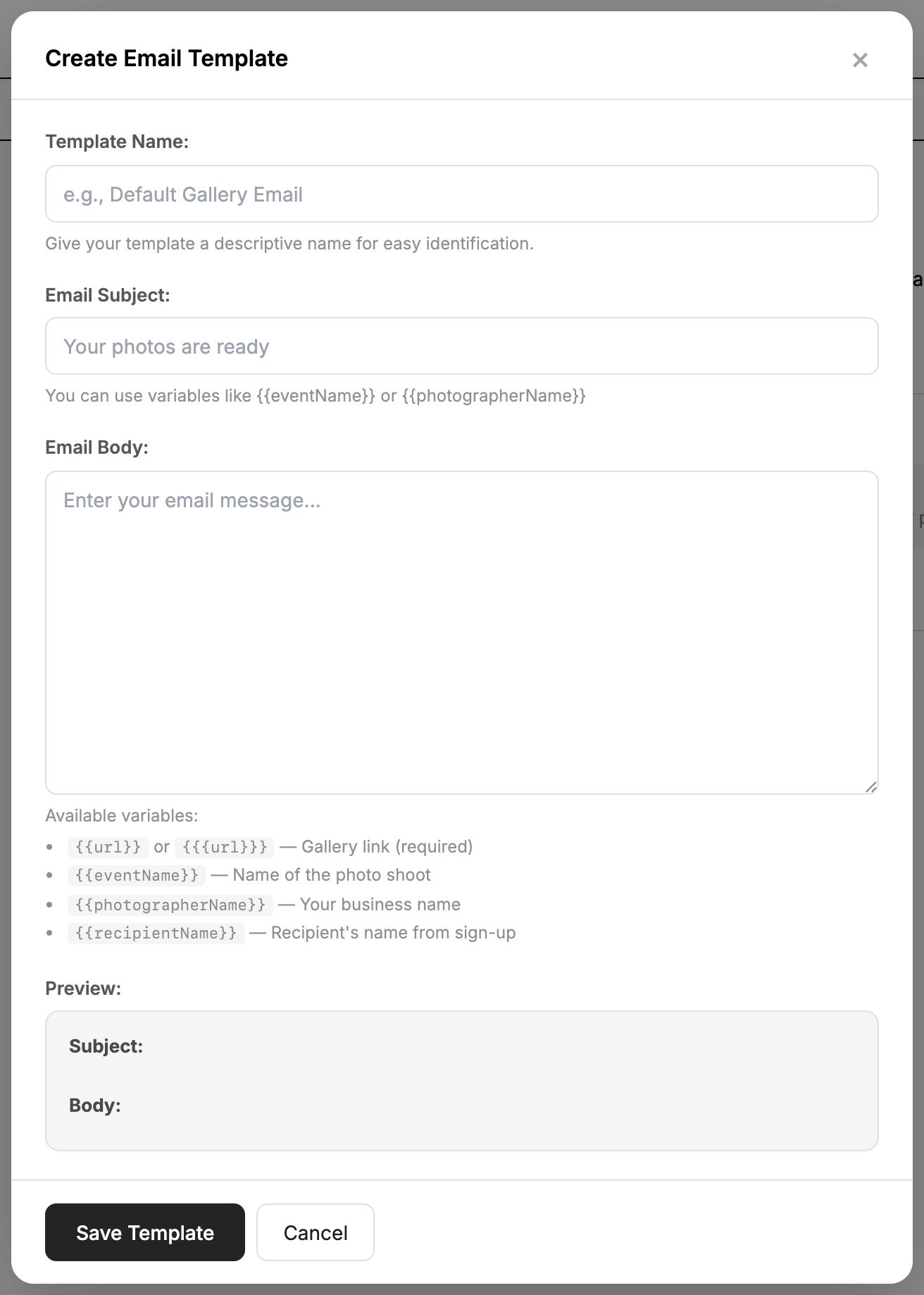
Preview and save
Check the live preview at the bottom of the editor, then save. The template is used for all future gallery deliveries.
Reply-to address
When a guest replies to their gallery email, the reply goes to your account email address by default — so you never miss a question.
On Pro and Business you can set a custom reply-to address: a default for all events under Settings, or a per-event override in an event's settings. Leave it empty to use your account email.