Quick Start
From setup to delivery in 10 minutes
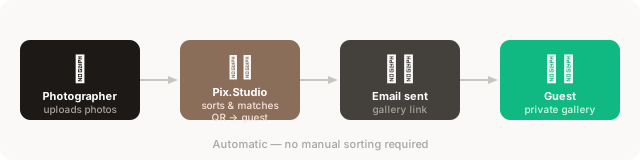
Follow these steps to run your first event and deliver photos automatically to every guest.
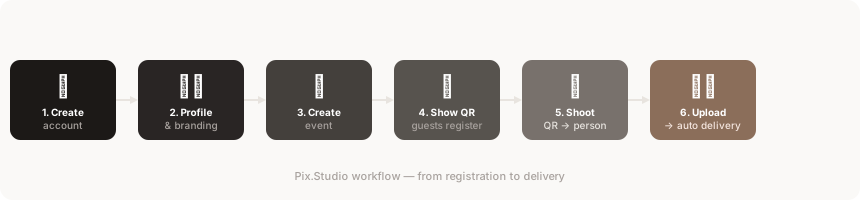
Create your account
Register at pix.studio/app — it's free. No credit card required to get started.
Set up your profile
Add your name and logo. These appear on guest registration forms and in delivery emails.
Learn more →Create an event
Click 'New event', give it a name, choose the language for guests, and save.
Learn more →Show the QR code
Display your event's QR code on a screen or print it out. Guests scan it to register.
Learn more →Guests register
Each guest enters their name and email on their phone and receives a personal QR code on screen.
Learn more →Photograph the QR, then the person
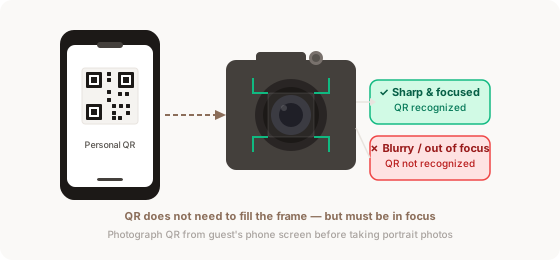
Aim at the QR code on the guest's phone screen and take one photo. Then photograph the person normally. The system links all following photos to that guest.
The QR code must be sharp in your photo. It does not need to fill the entire frame, but it must be in focus.
Upload photos — delivery is automatic
Upload your photos from camera to Pix.Studio. The system matches each person's photos and delivers them to their email automatically.